
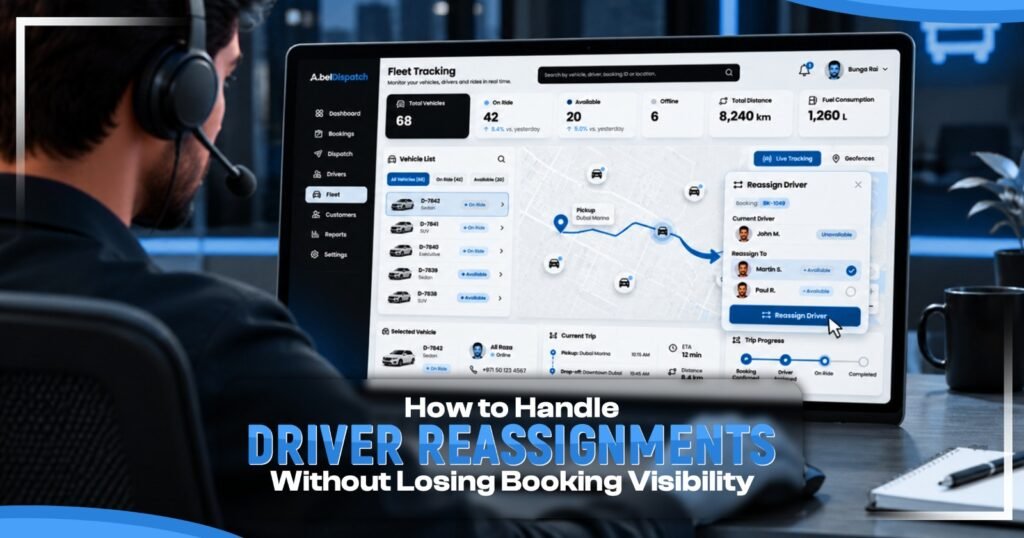
Sometimes, drivers will cancel at the last minute, so you will have to find another driver. This means you must make sure to change the booking, provide pickup information, and notify the customer. If you don’t, then there could be confusion due to incorrect driver information and lack of instructions. A clear driver reassignment process helps keep booking records accurate and everyone informed, especially when multiple dispatchers handle requests.
Common Driver Reassignment Challenges
Every booking contains customer information, pickup points, times, vehicle requirements, and driver information. This information needs to be kept up to date when assignments change. Common problems:
- The original driver is still shown as active.
- The new driver will miss key information about the journey.
- Vehicle requirements are missed.
- Outdated driver information is sent to customers.
- Multiple dispatchers will be unknowingly updating the booking.
A taxi dispatch system for small fleets manages their drivers and ensures information regarding bookings remains accurate. A well-run driver dispatch management will ensure that all changes are documented.
Steps to Follow When Reassigning a Driver
This Driver reassignment process can be followed by the dispatcher to ensure any last-minute changes do not affect any other bookings.
- Understand Why the Driver Needs Replacing
Find out why the driver cannot complete the journey. This could be due to a clash in their schedule, an emergency, breakdown, delay or customer request. .Note the reason so that other dispatchers are aware of the situation.
- Find an Available Driver
Check the driver’s schedule to ensure there are no conflicts with the booking. Consider collection time, travel times, and distances.
- Check Vehicle Requirements
Ensure the replacement driver will be able to provide the necessary vehicle. Confirm passenger capacity, luggage capacity, type of vehicle, and specific customer requirements.
- Update the Booking Details
Add the replacement driver details. Make sure the original driver is no longer active. Try to include some information on why the original driver was assigned to the booking in the history so that managers can look at the change.
- Share the Journey Information
Give the replacement driver all the most up-to-date information about the pickup, destination, time, and passenger instructions.
- Informing the Customer
If there have been any changes to the driver or collection, please inform the customer using the agreed method of contact. Only provide confirmed information.
- Review the Updated Booking
Before closing a reassignment, ensure the correct driver and vehicle have been assigned, all journey details have been updated, and any required notifications are sent. This will help to avoid any avoidable booking errors.
Why Keeping Driver Assignment History Matters?
Keep Driver Assignment Records Clear
Keep driver assignment records clear by recording any changes made to a booking, including:
- Name of driver originally assigned and name of new driver.
- Reason for change.
- Date and time of change.
- Who the Dispatcher was
- Alerts to customers
- Current booking status
This will help managers spot any issues or trends within the business. If you are having lots of last-minute changes, this can indicate that you don’t have enough drivers or that your scheduling isn’t great. Keeping track will help improve your fleet dispatch operations
How Taxi Dispatch Software Helps Manage Reassignments?
As your fleet grows, managing bookings can become a struggle. Reliable taxi dispatch software will allow you to easily manage bookings, assign drivers, view vehicle details, and communicate, all in one place. Automated taxi dispatch operations help reduce manual tasks, making it easier to update bookings, and drivers will always be kept up to date. AbelDispatch transport booking and dispatch system offers transport booking management, dispatch, driver and vehicle management, customer management, notifications, workflows, and reporting. This makes it easier for teams to keep track of bookings. The availability will depend on your plan and setup. Consider how easy it is to swap drivers, update bookings and see a history of driver assignments when choosing a driver allocation system.
Be Ready for Another Driver Change
The replacement may become unavailable, or the customer may wish to make further changes. Dispatchers will need to be able to amend the booking and authorise the new assignment. Having clear Driver reassignment processes in place means there will be no double bookings and everyone is kept up to date, especially during busy times.
Use Reassignment History to Improve Planning
Identify trends in driver changes such as high cancellations, lack of vehicles or scheduling issues. This can help managers to improve driver scheduling, booking processes and transport booking management as a whole. Use the information to identify what needs to change rather than looking at each reassignment as an individual issue.
Frequently Asked Questions
- When should you record a driver change?
Record the change as soon as possible after the change has been confirmed. Record both drivers’ details, the reason for the change, and the time of change.
- What will you check before changing drivers?
Check driver availability, current bookings, journey time, vehicle suitability and any requirements the customer may have.
- Will you inform the customer?
Yes, if there are any changes in the driver information or collection times, give the customer accurate information in a timely manner.
- Why keep original driver allocation?
Having information on the previous driver allocation makes it easier to track changes, answer questions, and identify common dispatch issues.
- What to check once you have reallocated?
Check that the correct driver and vehicle has been allocated, journey instructions have been communicated, the booking has been updated, and the necessary notifications have been sent.